

Table of Contents
What Are Product Swatches — and Why They Matter for Shopify Growth
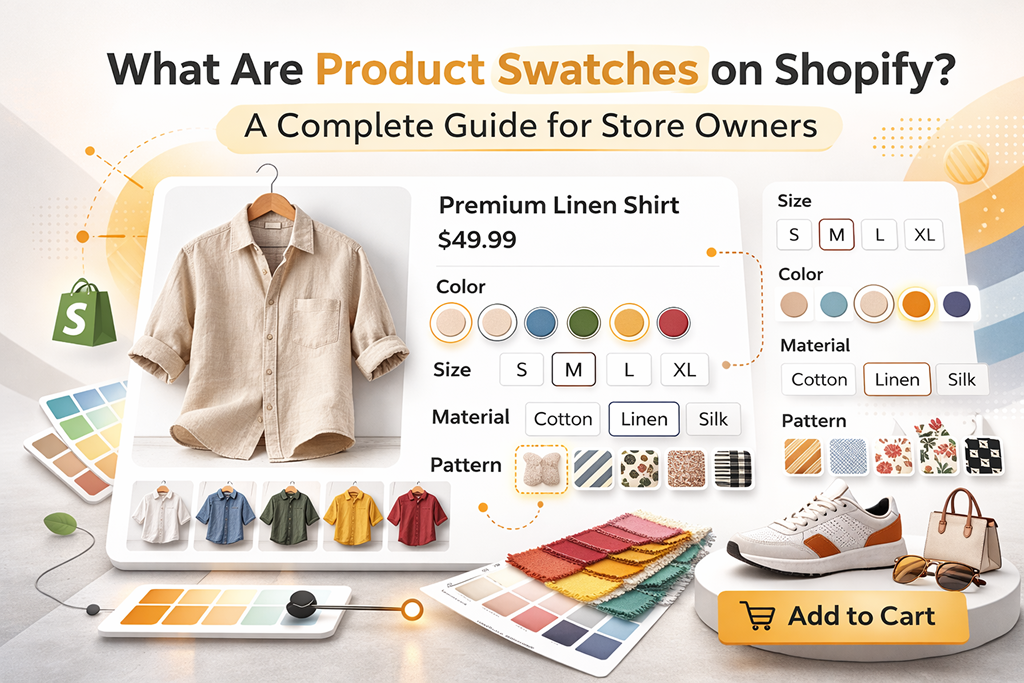
If you sell products with multiple variants, such as colours, sizes, materials, or styles, the way you display those options can directly influence buying decisions. Many Shopify stores rely on basic dropdown menus, but those often create friction and slow down the selection process.
Product swatches remove that friction.
Instead of forcing customers to read through text-based options, swatches present visual, clickable selections directly on the product page. When a shopper selects a variant, the product image updates instantly, providing real-time visual confirmation of their choice. This makes the experience faster, clearer, and more confidence-driven — which ultimately improves conversion rates.
What Is a Product Swatch?
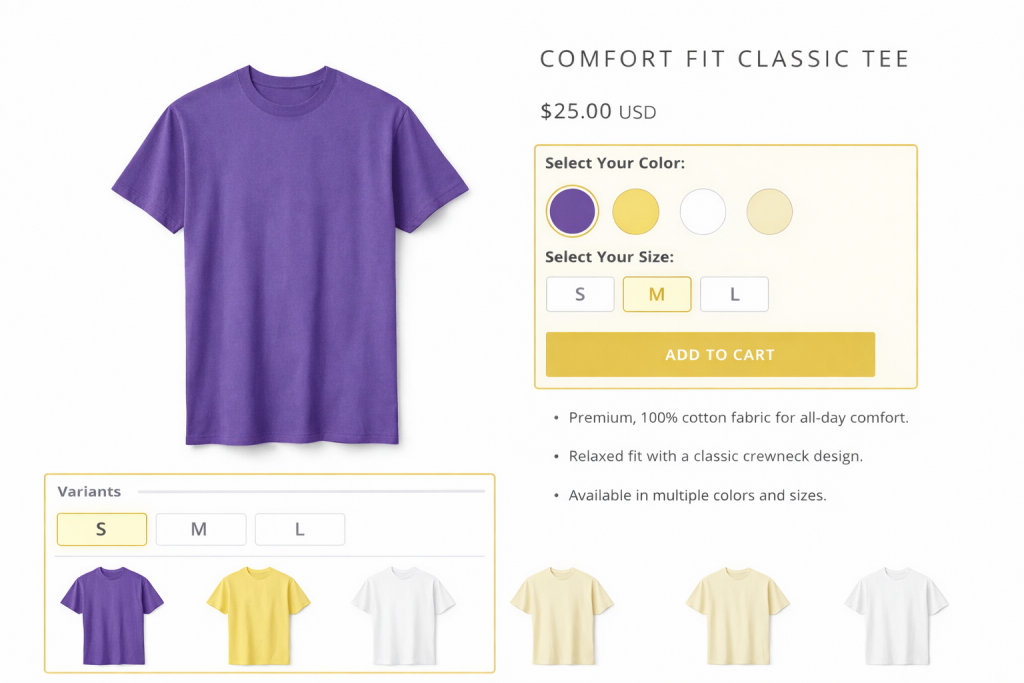
A product swatch is a visual representation of a product variant. Rather than displaying options in a standard dropdown list, swatches appear as clickable elements such as colour circles, size buttons, fabric previews, or image thumbnails.
For example, if you sell a t-shirt available in five colors, customers can click each color swatch to instantly preview how the product looks in that shade. The product image, price, SKU, or other variant-specific details can update automatically based on the selection.
This visual clarity reduces uncertainty. And in eCommerce, reducing uncertainty is one of the fastest ways to increase conversions.
Types of Product Swatches You Can Use
Different stores require different types of swatches depending on their catalog structure.
1. Color Swatches
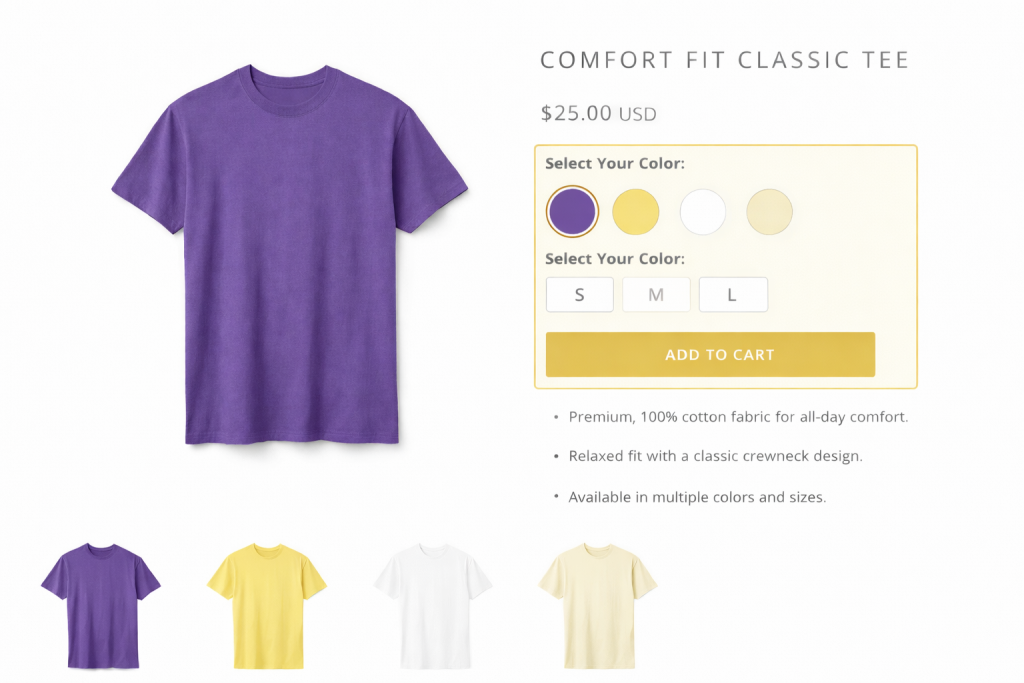
Color swatches are the most common and most impactful. They allow customers to instantly switch between shades without leaving the product page. For fashion, footwear, beauty, and lifestyle brands, color swatches are essential because visual preference often drives purchase decisions.
2. Size Swatches
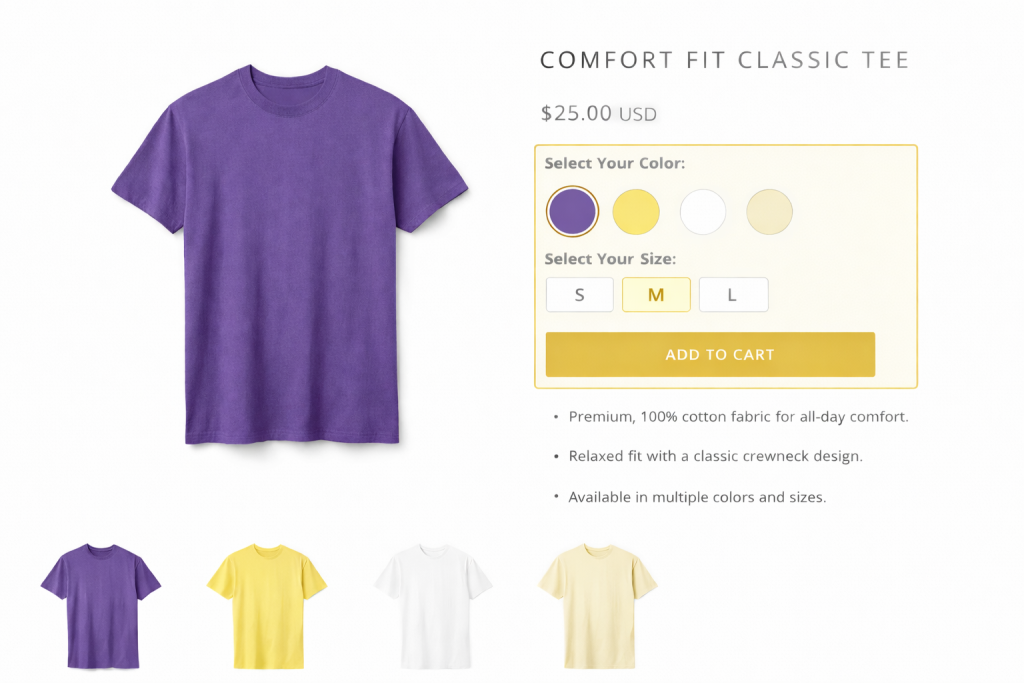
Instead of using dropdown menus, size swatches appear as clearly visible buttons (S, M, L, XL, etc.). This makes size selection faster and reduces the chance of selecting the wrong variant. When paired with updated size-specific images or availability indicators, they further improve clarity.
3. Material Swatches
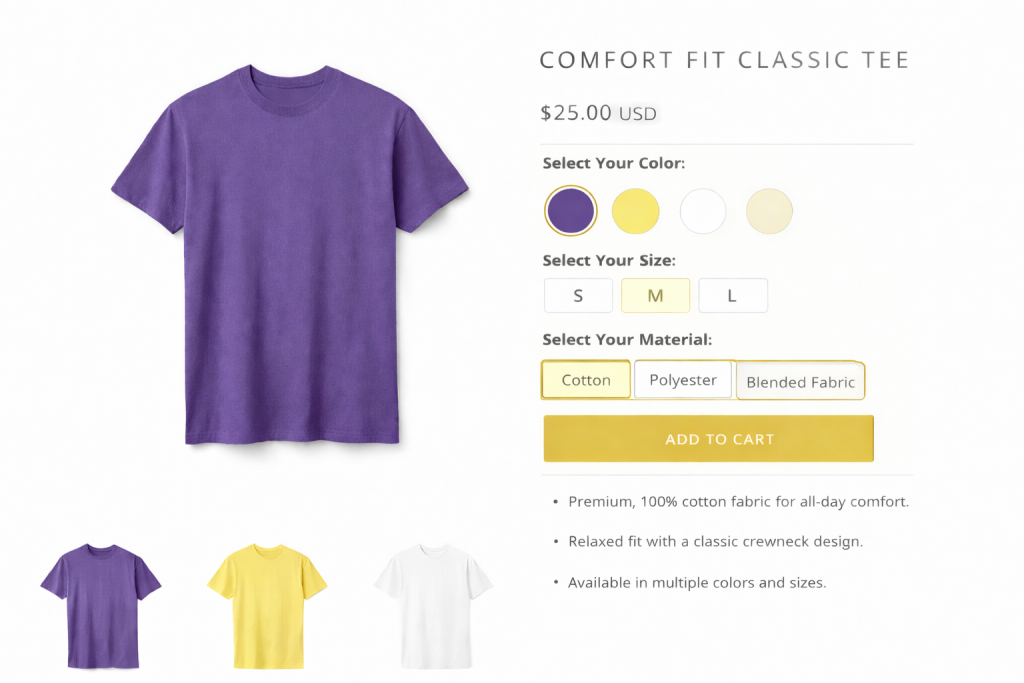
Material swatches work especially well for furniture, apparel, or customizable goods. Showing a visual preview of leather, cotton, velvet, or wood finishes helps customers better understand texture and quality differences.
4. Pattern or Design Swatches
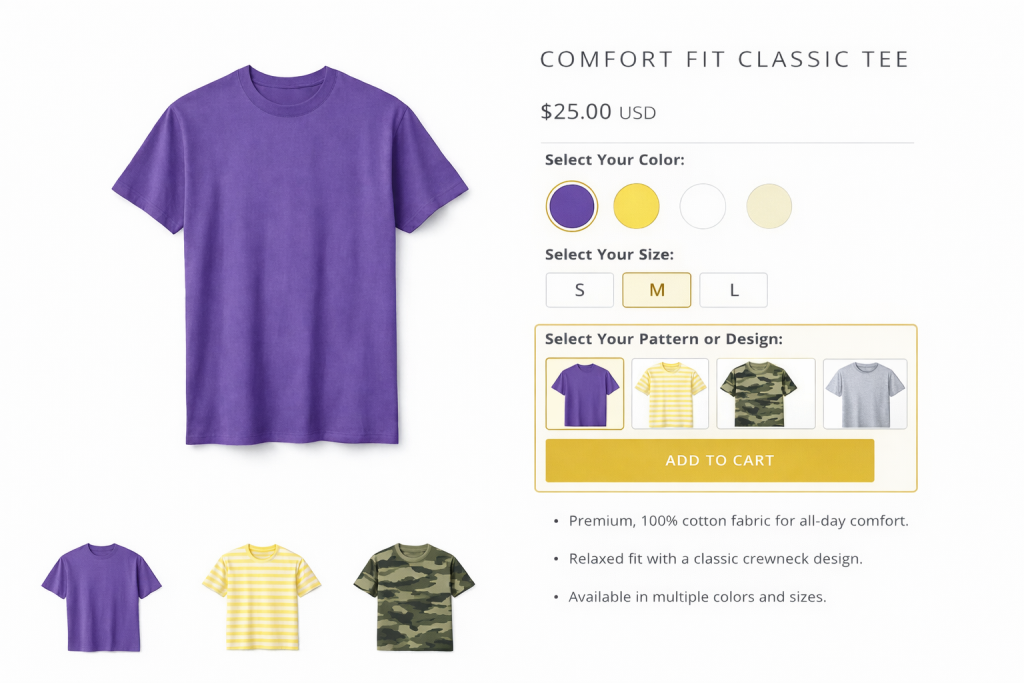
For products that come in different prints or designs, pattern swatches allow customers to preview styles instantly. This is common in home decor, bedding, and apparel categories where design preference is key.
5. Custom Variant Swatches
Some products have unique options such as bundles, finishes, editions, or configurations. Custom swatches allow you to present these options visually, maintaining consistency in the shopping experience across all product types.
The goal is not just to show variants — but to make variant selection intuitive and effortless.
How Leading Brands Use Product Swatches to Improve Shopping Experience
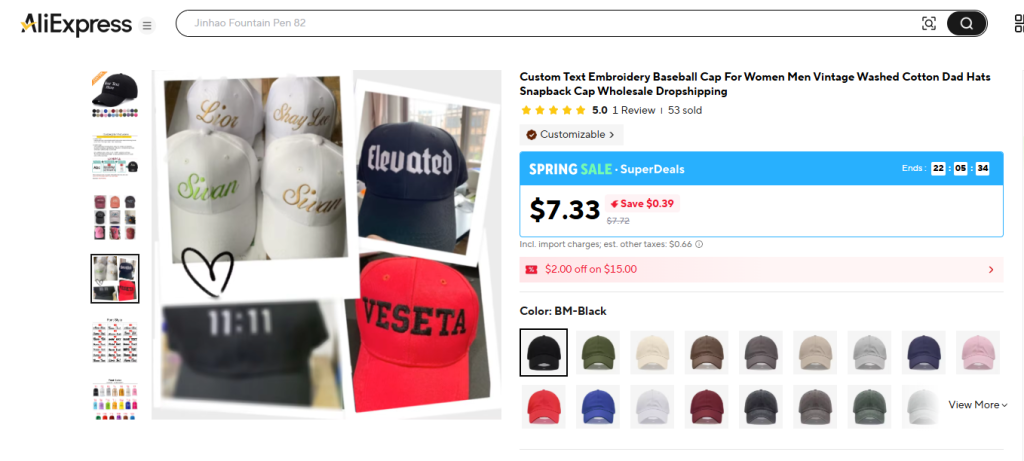
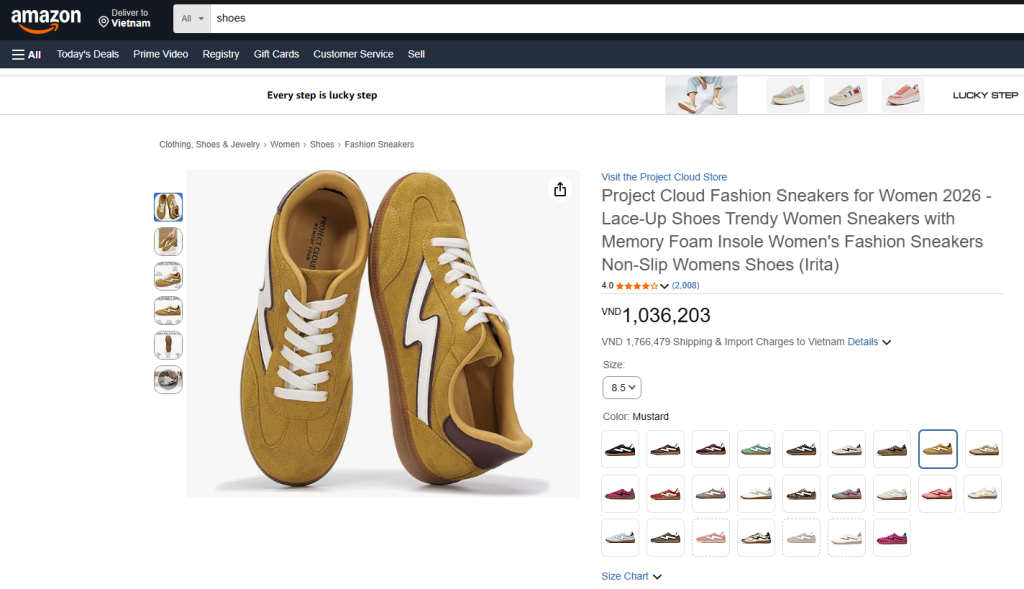
Many successful eCommerce brands implement product swatches to make variant selection faster, clearer, and more engaging. Here are two notable examples:
- AliExpress
- Amazon
Why Product Swatches Increase Conversions
Product swatches improve more than just visual appeal. They directly impact how customers interact with your store.
Better User Experience
Online shoppers cannot physically inspect products. Swatches simulate interaction, giving users a more tactile, engaging browsing experience. This reduces hesitation and builds confidence.
Faster Purchase Decisions
When variant options are clearly displayed and visually accessible, customers can make decisions quickly. The fewer clicks required to understand a product, the smoother the path to checkout.
Reduced Cart Abandonment
Confusion often leads to abandonment. If shoppers aren’t sure which variant they selected or how it looks, they may hesitate. Swatches eliminate this uncertainty by clearly showing the exact product variation chosen.
Improved Visual Design
Replacing dropdown menus with clean, interactive swatches modernizes your product pages. A polished interface increases perceived professionalism and brand trust.
Stronger Variant Visibility
Swatches ensure all available options are visible immediately. Customers no longer need to open dropdown menus or reload pages to see what’s available.
Small UX improvements often produce measurable revenue impact.
How to Add Product Swatches to Shopify
Adding product swatches on Shopify is straightforward when your product variants are properly structured.
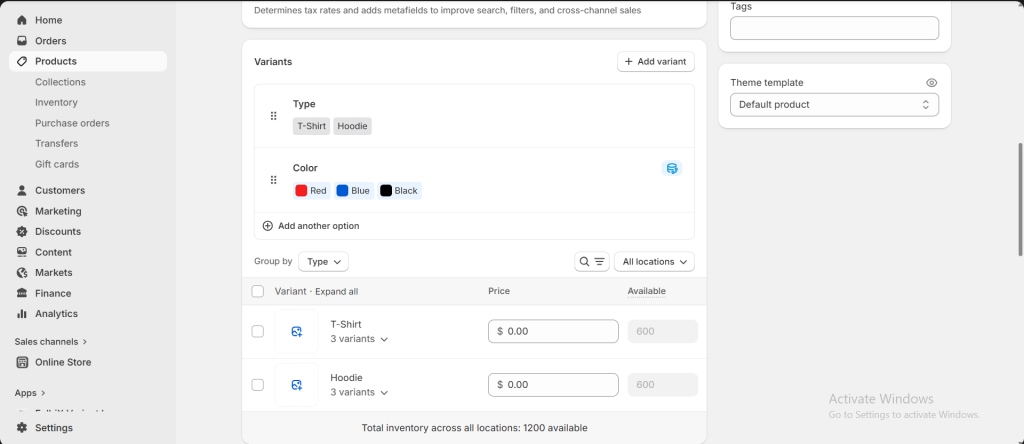
Step 1: Add variants to products
Make sure all product variants (color, size, material, etc.) are clearly defined in your Shopify admin. Each variant should have accurate pricing, SKU, inventory details, and the correct images assigned.
Step 2: Setup swatch images on Shopify theme
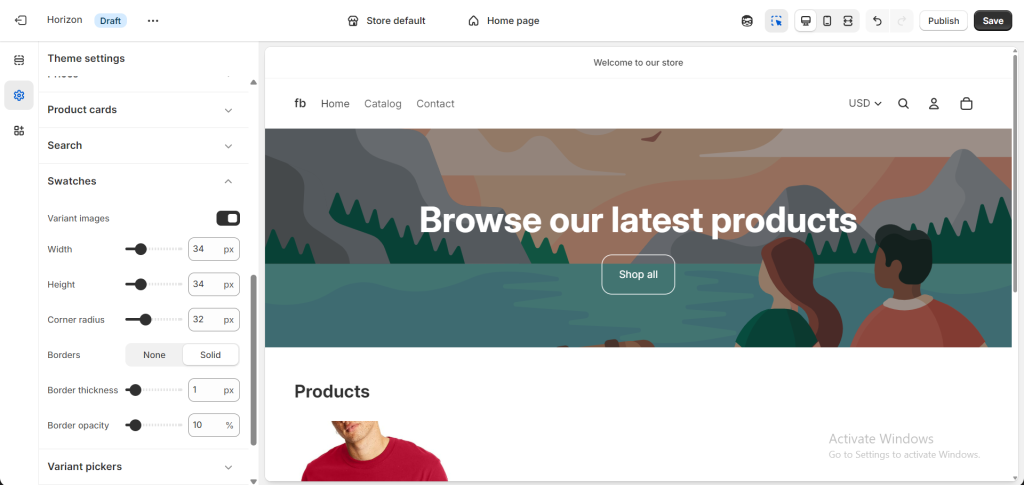
Choose a Shopify theme that supports swatches natively or install a specialized app that enhances variant display functionality. Many modern themes offer basic swatch features, but advanced apps provide additional control over styling, image syncing, and SEO optimization.
After enabling swatches, customize their appearance to match your brand. You can adjust shape (circle, square, button), size, spacing, and positioning to ensure visual consistency.
For example: Setup swatch images on the Horizon Theme
Step 3: Test thoroughly on both desktop and mobile devices.
Swatches must be easy to tap on smaller screens and should update images instantly without delays.
Best Practices for High-Converting Swatches
To maximize results, consider these important optimization practices:
Keep your swatches simple and focused. Too many variant options can overwhelm customers. Prioritize the options that most influence buying decisions, such as color and size.
Use high-resolution images for both swatches and variant photos. Blurry or inaccurate previews can damage trust and reduce conversion rates.
Ensure that selecting a swatch instantly updates the correct product image, price, and availability status. Delays or mismatched images create confusion.
Hide out-of-stock variants whenever possible to prevent frustration.
Optimize ALT text for each variant image. This improves accessibility and strengthens your image SEO, making your products more discoverable in search results.
Most importantly, maintain full mobile responsiveness. A large portion of Shopify traffic comes from mobile devices, so swatches must function seamlessly across screen sizes.
Conclusion
Product swatches are more than a design enhancement — they are a conversion optimization tool. By presenting product variants visually and interactively, you reduce friction, increase clarity, and help customers make confident purchasing decisions.
When implemented correctly, swatches can improve engagement, lower abandonment rates, and increase overall store performance.
For Shopify merchants focused on growth, optimizing variant presentation isn’t optional — it’s a competitive advantage.




Leave a Reply